


Our reset password process is quick, easy, and straightforward. We've streamlined every step to minimise any inconvenience on your end and you can follow along in this step-by-step guide:
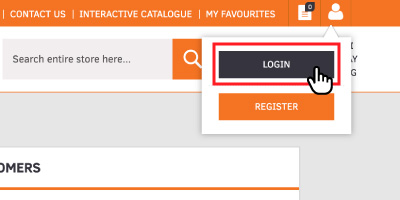
Step 1: Navigate to Login Page
Click on the 'Login' button in the top right of the website.
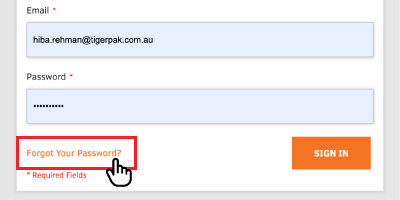
Step 2: Select Forgot Password
On the Login page click on the 'Forgot Your Password?' link.
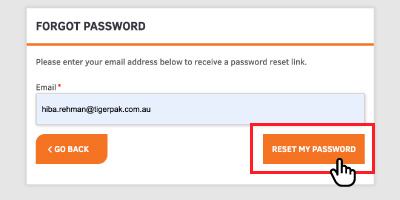
Step 3: Get Reset Password Link
Fill in your account email address to send a reset password link.
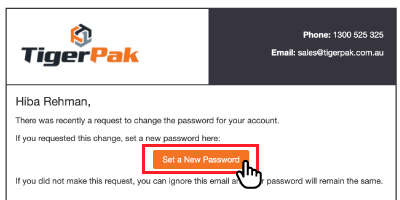
Step 4: Set a New Password
You will receive a reset password link in your email which will navigate you back to the website to set a new password.
Fill in your new password and you're done!
If you need any further assistance on resetting your password, contact our friendly team.